
Step 1 · Find your ESPN League ID
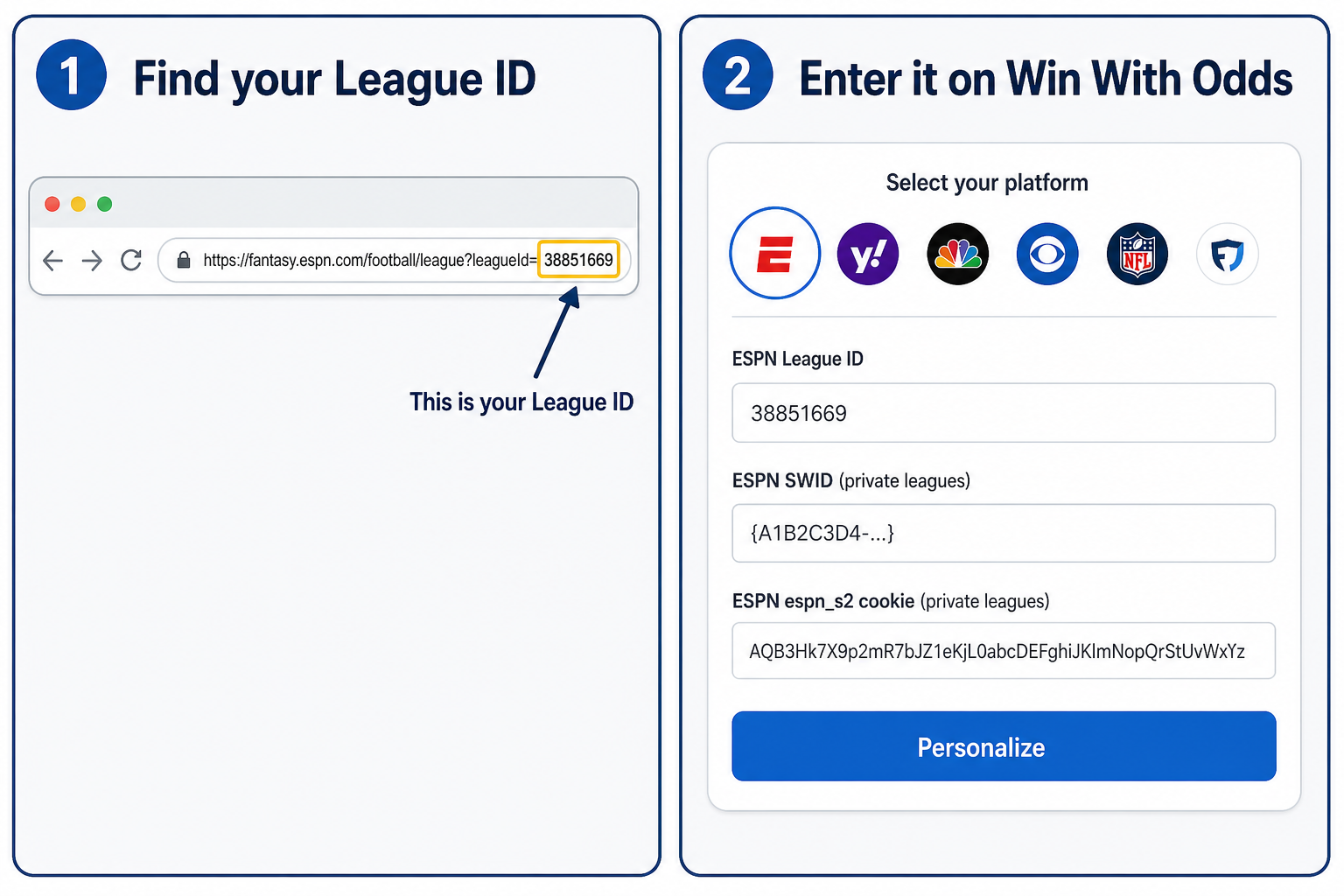
Open your league on fantasy.espn.com
and look at the address bar. The number after leagueId= is your League ID.
Step 2 · Grab your SWID and espn_s2 cookies (private leagues only)
- While logged in at fantasy.espn.com, press F12 (or right-click → Inspect) to open Developer Tools.
- Open the Application tab (in Firefox it's Storage). You may need the » overflow menu.
- In the left sidebar, expand Storage → Cookies and click https://fantasy.espn.com.
- Find the rows named
SWIDandespn_s2and copy each Value.
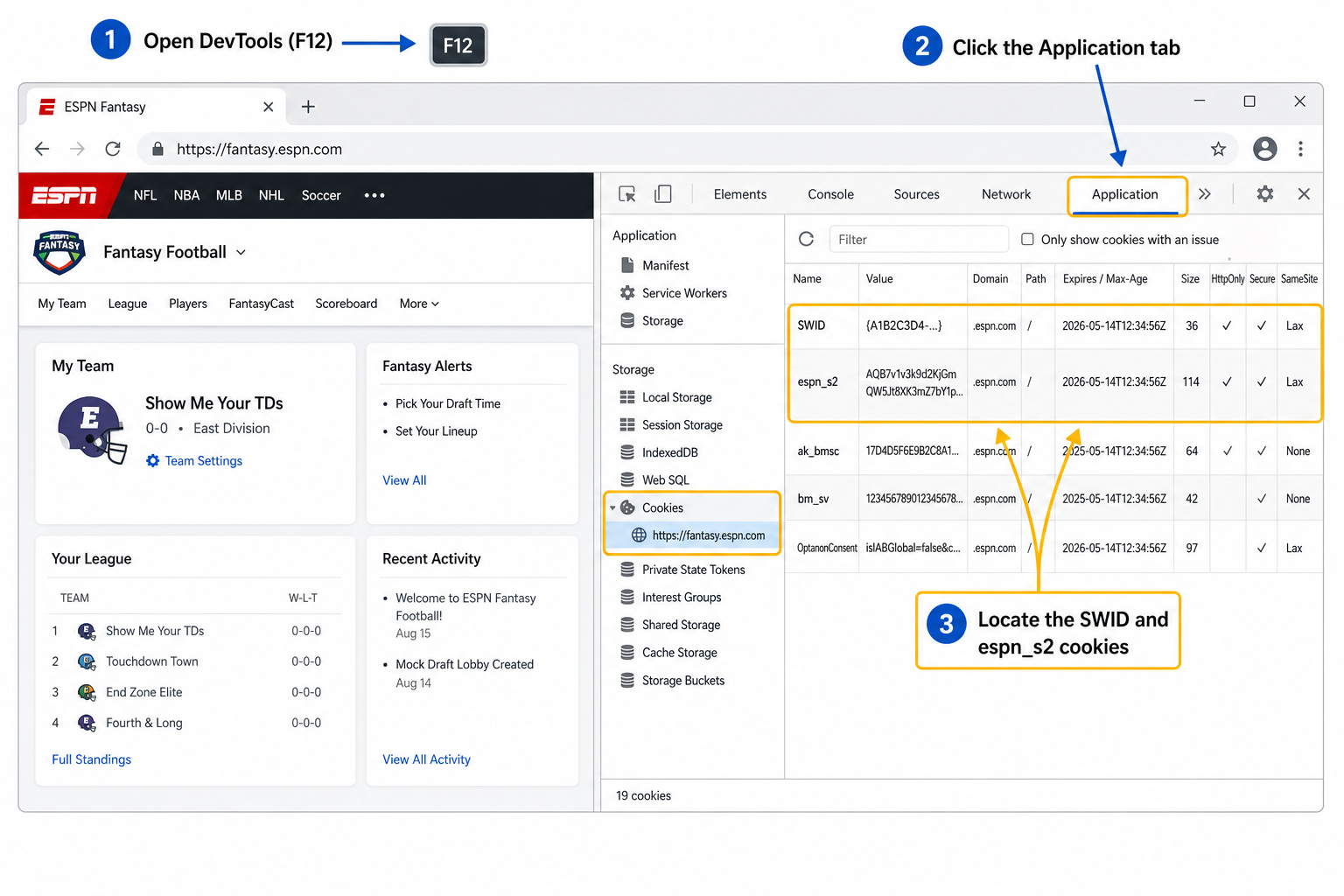
Copy them exactly. Keep the curly braces on SWID (it looks like
{A1B2C3D4-…}), and don't try to decode espn_s2 — the %
characters are fine.
Step 3 · Enter the values on Win With Odds
Pick a tool below, select the ESPN logo, then paste your League ID, SWID, and espn_s2 into the matching fields.
Good to know
- You only enter these once per visit. We remember your credentials in your browser session for up to 30 days, and every personalized tool reuses them automatically.
- ESPN's cookies expire on their own schedule. If a league suddenly stops loading, just repeat Step 2 to grab fresh values.
- Public leagues don't need cookies — only the League ID.
- Your credentials stay in your own session. Treat SWID and espn_s2 like a password; they let tools read (not change) your league.